GoAnimate is an online platform allowing users to create animated videos with ease. I came across GoAnimate last year and was fascinated with the output. I saw many examples and the videos were engaging and fun. I thought,"this would be perfect for creating microlearning or scenarios in eLearning."
The website made it sound so easy. In fact, it states "Make your first video in less than five minutes." An easy way to make animated videos? Sign me up! My job is very demanding and I do not have the time to spend hours creating videos.
I purchased my one-year subscription and was ready to begin. GoAnimate offers several tutorial videos to get you started. They were very helpful. I strongly recommend watching the videos as they demonstrate some neat tricks.
I have created three videos to date. There are pros and cons to GoAnimate, just like any product. However, you should know what you will be purchasing.
The website made it sound so easy. In fact, it states "Make your first video in less than five minutes." An easy way to make animated videos? Sign me up! My job is very demanding and I do not have the time to spend hours creating videos.
I purchased my one-year subscription and was ready to begin. GoAnimate offers several tutorial videos to get you started. They were very helpful. I strongly recommend watching the videos as they demonstrate some neat tricks.
I have created three videos to date. There are pros and cons to GoAnimate, just like any product. However, you should know what you will be purchasing.
Pros
 |
| Above are some custom characters people created in GoAnimate. |
- The character options are endless. GoAnimate has a character for almost every type of job. They offer construction workers, professionals (e.g. suit and tie), casual workplace, doctors, farmers and so much more. The company has pre-built many of the characters for you. You can also create a custom character if they do not have what you need.
- GoAnimate embraces diversity. Their characters are extremely diverse. You can find different cultures, religions, and body shapes. I love this because I want my videos to represent a diverse workforce.
- GoAnimate offers prebuilt scenes. The website's library is extensive. You will find a collection of backgrounds and scenarios pre-built. GoAnimate categorizes these scene by industry and topic to ensure you find them quickly.
- No shortage of images. Go Animate offers so many images to include in your video. It is insane. I found pictures I never expected such as a table saw and an IV (for hospital patients).
- Offers Text to Voice. GoAnimate offers a text to voice feature to make things easier. The voices come in all different accents and languages. Some may sound robotic but I have found several that sound realistic.
Cons
- Five minutes is a far exaggeration. Do not expect to create a video in five minutes. You may be able to achieve this timeframe is your video is under thirty seconds. My videos are never this short as an instructional designer. It took me a week to create a six-minute video. I felt as though I was creating a full eLearning course.
- Finding character poses and expressions is frustrating. GoAnimate offers a search feature to locate images and expressions for your characters. GoAnimate offers categories but there are hundreds of expressions within one category. They could improve their site vastly by offering sub-categories. You won't find a lot of basic character poses either. My characters do a lot of talking and I have only found four poses that are not over-the-top.
- Making a scene from scratch is time-consuming. I mentioned that GoAnimate offers pre-built scenes to expedite the development. They certainly are fantastic. However, you are limited to a few. Creating your own scene can take forever. You have the find the perfect background, locate the necessary props and place them onto the slide.
- Sizing items (especially text) is a pain. This one is hard to explain. Obviously, you will need to resize text boxes at items. Many times I want to extend a text box horizontally by extending one side of the text box. I find this helpful when trying to fill boxes. In GoAnimate, when you extend the length or height of a box, the program automatically extends both sides. I continually have to realign and resize my boxes to get them where I like. It's a pain.
- No option for simple bullets. I use bullets a lot of eLearning. GoAnimate offers no bullet or numbering feature. As a result, expect to insert shapes for each bullet. There is also no way to distribute alignment among bullets. You will need a good eye to ensure your sentences and bullets have even space between them.
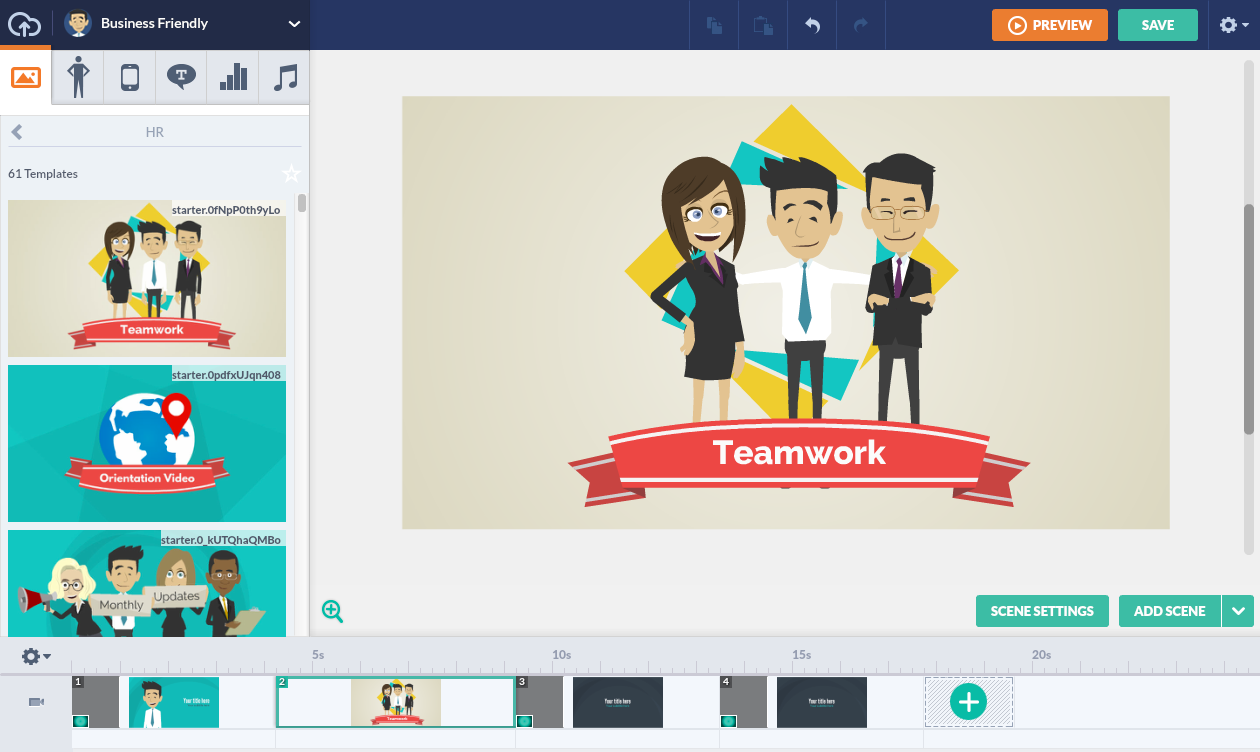
There are certainly pros to GoAnimate. I do not feel it is suitable for a one-person department. It is a great resource for a training team. You could allocate a person or two to become the expert on the system. I am not a fan of the amount of time it requires. I am hoping, however, that I will become more proficient in time. Otherwise, I will not renew my subscription next year.
Comments
Post a Comment